
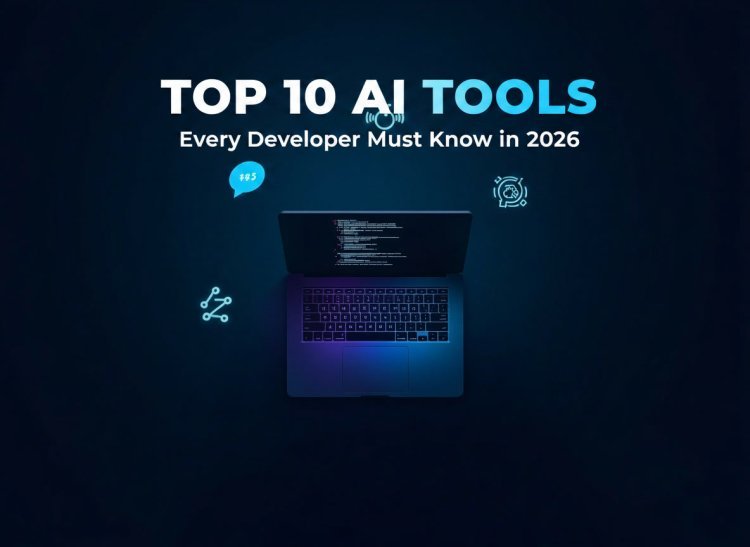
Top 10 AI Tools Every Developer Must Know in 2026 — Ranked, Reviewed & Updated
Discover the top 10 AI tools every software developer must know in 2026. From Claude Code to GitHub Copilot — ranked, reviewed, and updated with the latest information to help you code smarter and faster.
 admin
admin

Introduction
This blog covers the top 10 AI tools every software developer must know in 2026 — what they do, who they are built for, and how they fit into a real development workflow. Whether you are a beginner just starting out or a senior engineer looking to stay ahead, this updated guide breaks down each tool honestly so you can make smarter decisions about what belongs in your stack.
If you are a developer in 2026 and you are not using any AI tools yet, you are working harder than you need to.
That is not an exaggeration. The way software gets built has shifted dramatically. Developers who understand how to work alongside AI tools are shipping faster, writing cleaner code, and solving harder problems — all in the same hours they had before.
But here is the honest problem. The AI tool market is absolutely overwhelming right now. New tools launch every week. Every product claims to be the best. And if you try to use all of them, you end up confused, broke, and no more productive than when you started.
So this guide exists to cut through all of that. These are the ten AI tools that actually matter for developers in 2026 — researched, reviewed, and ranked based on what the developer community is genuinely using and talking about right now.
Let us get into it.
1. Claude Code — The Best AI Coding Agent for Complex Work
If you are doing serious, professional development work in 2026, Claude Code belongs at the top of your list.
What makes it genuinely different from everything else is its agentic approach. You give it a high-level task — fix this bug, refactor this module, add authentication to this app — and it reads the relevant files, builds a plan, edits across multiple files, runs your tests, and self-corrects when something breaks. The output is a clean, reviewable diff that is ready to merge or revise.
The context window is another major advantage. Claude Code can hold an enormous amount of information in a single session, which means it can process an entire mid-sized codebase at once. It understands cross-file dependencies and architectural patterns that shorter-context tools simply miss.
Multiple independent developer reviews in June 2026 have rated it as the top choice for complex, long-form coding tasks. If you are working on large codebases and multi-step engineering problems, this is the tool to start with.
Best for: Senior developers, complex refactoring, large codebases, and teams wanting an autonomous coding agent.
2. GitHub Copilot — The Most Widely Used AI Coding Assistant
GitHub Copilot is still the most widely adopted AI coding tool in the world, and for very good reason.
It lives inside your editor — whether that is VS Code, JetBrains, Neovim, or Xcode — and provides intelligent, real-time code completions as you type. For line-by-line and function-level suggestions, the autocomplete quality is still best in class.
In June 2026, GitHub switched Copilot to a usage-based billing model with AI Credits, which gives developers more flexibility in how they pay. Basic code completions stay unlimited on paid plans, so for everyday coding, the experience remains smooth.
Copilot also now supports an agent mode through GitHub Agent HQ, which lets you run multiple AI agents simultaneously on the same task. This is a significant step forward from where the product was even six months ago.
The one honest limitation is context awareness. Copilot primarily looks at your current file and open tabs rather than your full codebase, which means for architectural questions and complex refactoring it still lags behind Claude Code and Cursor.
Best for: Everyday coding assistance, inline completions, and developers already working inside the GitHub ecosystem.
3. Cursor — The AI-First Code Editor Built for Flow
Cursor is a full code editor built on top of VS Code, and in 2026 it has established itself as the go-to tool for developers who want AI deeply integrated into every part of their editing experience.
The standout feature is that Cursor understands your entire codebase, not just the file you are currently working on. You can ask it questions about your project and it pulls relevant context from across your repository automatically.
Cursor 3, released in 2026 under the codename Glass, made a bold move — it replaced the traditional code editor as the primary interface and introduced an agent management console instead. This signals a genuine shift in how Cursor sees the future of development: less about editing files line by line, more about orchestrating intelligent agents to complete tasks.
The Composer feature lets you describe changes in plain language and Cursor edits multiple files at once. For refactoring tasks and feature additions, this can genuinely save hours of work.
Best for: Developers who want a full AI-native editor experience with deep codebase understanding and agentic capabilities.
4. Windsurf — The Best Balance of Features and Price
Windsurf, formerly known as Codeium, has carved out a strong position in 2026 as the best option for developers who want a powerful full IDE experience without paying Cursor's premium pricing.
It supports Arena Mode and Plan Mode, runs parallel multi-agent sessions using Git worktrees, and the Cascade feature handles complex, multi-step development tasks extremely well. Claude Opus 4.7 support is now live inside Windsurf, which significantly boosts its coding quality.
For teams or individual developers watching their budget, Windsurf hits a sweet spot that is hard to ignore. The free tier is genuinely usable, and the paid options are competitive compared to what else is on the market right now.
Best for: Developers who want a full-featured AI IDE at a reasonable price point.
5. OpenCode — The Open-Source Coding Agent Taking Over
OpenCode is the biggest surprise story in AI developer tools in mid-2026. It entered the rankings at the top position for open-source tools, and the developer community has responded with enormous enthusiasm.
It is model-agnostic, meaning it connects to over 75 different AI providers — Claude, GPT, Gemini, DeepSeek, and local models via Ollama. This gives developers complete freedom over which model powers their coding agent without being locked into one company's ecosystem.
The LSP integration is unique among all the tools on this list. It feeds real compiler diagnostics back to the model, which means the agent can understand actual build errors and fix them with the context of what the compiler is seeing. No other tool currently does this.
For teams in regulated industries or anyone who needs private, air-gapped deployment, OpenCode is the only serious option available today.
Best for: Developers who want open-source, model-agnostic, privacy-first agentic coding with real compiler integration.
6. ChatGPT — The Best AI Thinking Partner for Developers
ChatGPT is not primarily a coding tool in the traditional sense, but in 2026 it has become an essential part of how many developers think through problems.
Where ChatGPT genuinely shines for developers is in architecture discussions, debugging complex issues, and understanding unfamiliar technologies. When you are stuck on a problem that is not purely a code-writing problem — when you need to reason through a design decision, evaluate trade-offs, or understand how a system should be structured — ChatGPT is the best conversation partner available.
GPT-5.5 is the current flagship model for professional coding work, handling large codebases, multi-file refactoring, and ambiguous debugging situations particularly well.
Think of ChatGPT less as a code generator and more as the senior engineer you can talk to at any hour without them getting tired of your questions.
Best for: Architecture discussions, debugging reasoning, learning new technologies, and working through complex technical decisions.
7. Devin — The Autonomous AI Software Engineer
Devin represents something genuinely different from every other tool on this list. It is not an assistant or a code completion engine. It is an autonomous AI software engineer that can handle complete development tasks with minimal human intervention.
You assign Devin a task. It plans the steps, edits the code, runs commands, and iterates until it reaches a result ready for your review. It operates in its own environment with access to a repository, terminal, tests, and even a browser.
The honest reality in 2026 is that Devin is still evolving. It is relatively expensive, and for production-critical systems it still needs oversight. But for well-defined engineering tasks with clear success criteria, it already delivers results that would have seemed impossible just two years ago.
Best for: End-to-end task execution, feature building, and bug fixing on well-scoped engineering problems.
8. Replit — The Best Tool for Building and Deploying Fast
Replit is a cloud-based AI-assisted development environment that lets you write, run, collaborate, and deploy applications entirely from your browser. No local setup. No environment configuration headaches. Just open it and start building.
For developers who want to prototype quickly, ship a side project, or work collaboratively in real time without worrying about infrastructure, Replit in 2026 is genuinely impressive. The built-in hosting means you can go from idea to live deployment without touching a server.
It is not the right tool for large enterprise codebases or production systems with complex requirements. But for learning, rapid prototyping, and sharing working projects instantly, nothing makes it easier.
Best for: Beginners, rapid prototyping, hackathons, and developers who want cloud-based development without any local setup.
9. Tabnine — The Enterprise Choice for Strict Data Privacy
Tabnine has repositioned itself in 2026 as a focused enterprise product, and for teams in regulated industries where data privacy is non-negotiable, it fills a gap that no other tool on this list addresses quite as well.
It supports private deployment, team-specific model customization, and strict data governance controls that enterprise security teams can actually get comfortable with. The AI models can be trained on your own internal codebase, which means the suggestions it generates are aligned with your team's specific patterns and standards rather than generic open-source code.
The honest downside is the pricing and access model. Tabnine no longer has a free tier in 2026, and it requires annual commitment. It is a team and enterprise product, not a solo developer tool.
Best for: Enterprise teams in regulated industries needing private AI coding assistance with strict data governance.
10. Perplexity — The Research Tool Every Developer Should Be Using
Perplexity is not a coding tool. But it deserves a place on this list because in 2026 it has become the research layer that serious developers rely on daily.
When you need to understand a new technology, research a library, fact-check a technical decision, or find current documentation on something that changed recently, Perplexity gives you sourced, up-to-date answers that go far beyond what a standard search engine returns.
For developers, this matters a lot. Technology moves fast. Documentation changes. Packages get deprecated. Having a research tool that can give you accurate, current information with clear sources saves real time and prevents costly mistakes based on outdated knowledge.
Best for: Technical research, understanding new technologies, and getting sourced answers to development questions quickly.
How to Think About Building Your AI Tool Stack
The biggest mistake developers make in 2026 is trying to use every AI tool at once and ending up overwhelmed.
Here is a simpler way to think about it. You need three layers in your stack. First, an editor or agent tool for writing and refactoring code — Cursor, Claude Code, or Copilot depending on your workflow. Second, a thinking partner for architecture and debugging — ChatGPT works extremely well here. Third, a research tool for staying current — Perplexity handles this better than anything else right now.
Everything else on this list is additive. Add tools when you hit a genuine limit in your current setup, not because a tool sounds exciting.
For more guidance on building practical tech skills and navigating your developer career with real-world support, visit " GG Consultancy " — they help professionals make smarter decisions about technology, upskilling, and career growth.
Final Thoughts
AI tools are not replacing developers in 2026. That conversation has largely settled. What they are doing is creating a clear gap between developers who know how to use them well and developers who do not.
The tools on this list are genuinely useful. They save time, reduce repetitive work, catch bugs earlier, and let you focus on the parts of development that actually require human creativity and judgment.
Pick the tools that match where you are right now. Learn them properly. Build things with them. And as your needs grow, your stack can grow with you.
The developers thriving in 2026 are not the ones with the most AI tools. They are the ones who have learned to work with the right ones.
Want more career and tech insights? Visit " GG Consultancy " for practical guidance on building a future-ready career in tech.
Tags: AI Tools 2026, Developer Tools, GitHub Copilot, Claude Code, Cursor AI, Windsurf, OpenCode, Programming, Software Development, AI Coding Assistants