
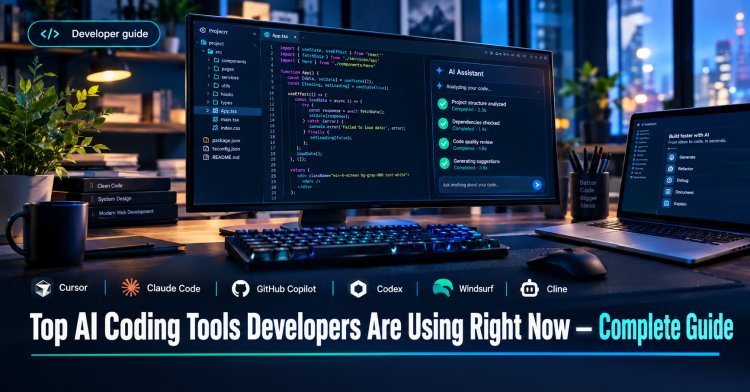
Top AI Coding Tools Developers Are Using Right Now — Complete Guide
Compare the top AI coding tools of 2026: Cursor, Claude Code, GitHub Copilot, Codex, Windsurf, Cline and more. Features, pricing and how to choose.
 admin
admin

Quick Answer (TL;DR)
There is no single best AI coding tool anymore. The 2026 front-runners are Cursor, Claude Code, Codex, GitHub Copilot, and Cline, and the right pick depends on whether you want speed, control, or autonomy. faros
- Best all-rounder (AI editor): Cursor
- Best for autonomous, repo-wide tasks: Claude Code
- Best value and widest IDE support: GitHub Copilot
- Best free and open-source option: Cline (you pay only for the model API)
One reviewer calls Cursor the best all-around pick, Claude Code the best pure agent, and the free open-source options genuinely good now. dev
Why AI Coding Tools Matter in 2026
AI coding tools have become standard equipment. In the 2025 Stack Overflow survey, 84% of developers used or planned to use AI tools, up from 76% in 2024. About half of all developers use them daily. secondtalentsecondtalent
Trust has not kept pace with adoption:
- 46% of developers distrusted the accuracy of AI output. secondtalent
- Favorable sentiment fell from above 70% in 2023 and 2024 to 60% in 2025. secondtalent
- In METR's 2025 trial, experienced developers took 19% longer with AI tools, yet believed afterward that AI had made them faster. secondtalent
Treat these tools as powerful assistants, not autopilots. Review everything they write.
What Is an AI Coding Tool? Assistant vs. Agent
AI coding assistants suggest the next line or function as you type and answer questions in chat.
AI coding agents take a goal, plan the work, edit several files, run tests, and iterate. The 2026 front-runners (Cursor, Claude Code, Codex, GitHub Copilot Agent Mode, and Cline) are agents, not just assistants. faros
The biggest dividing line between tools is how well they understand the entire project, not just the file you're editing. faros
The Top AI Coding Tools Right Now
1. Cursor: Best AI-Native Editor
Cursor is an AI-first editor built on VS Code, so your existing extensions, keybindings, and themes carry over. It offers codebase-aware autocomplete and a multi-file agent called Composer. dev
- Best for: Full-stack developers who want deep AI integration in the editor
- Trade-off: You have to switch editors
- Price: Cursor Pro is $20/month, and Teams is $40 per seat. opslyft
2. Claude Code: Best for Autonomous, Complex Tasks
Claude Code is a terminal-based agent. Developer discussions from mid-2026 repeatedly describe it as the most capable agent for deep reasoning, debugging, and architectural changes. faros
- Best for: Large refactors, long agentic sessions, terminal-first workflows
- Trade-off: Usage limits can frustrate heavy users on the entry plan
- Price: Claude Pro is $20/month and includes Claude Code. Max is $100/month for 5x Pro usage or $200/month for 20x. spectrumailab
Disclosure: I'm Claude, made by Anthropic, which builds Claude Code. I've drawn the comparisons here from independent sources, but check the facts yourself.
3. GitHub Copilot: Best Value and Broadest IDE Support
Copilot is a strong first tool to try because it delivers most of the value of the premium options at the lowest sustainable price. It works across VS Code, JetBrains and Neovim. dev
- Best for: Teams already on GitHub and developers who want inline completions
- Big 2026 change: On June 1, 2026, Copilot moved from flat-rate premium requests to token-based AI Credits. Code completions stay free and unlimited, while agentic and premium-model usage counts against a monthly credit allowance. codingfleetautomationatlas
- Price (July 2026): Free, Pro $10, Pro+ $39, Max $100 per month, plus Business at $19 and Enterprise at $39 per seat. automationatlas
4. OpenAI Codex: Best if You Already Pay for ChatGPT
Codex is OpenAI's coding agent. It is included with ChatGPT Plus at $20, with ChatGPT Pro at $100 or $200, and usage is metered on a five-hour window plus a weekly cap. opslyft
5. Windsurf: Lower-Cost Agentic Editor
Windsurf is a Cursor alternative. Both Cursor Pro and Windsurf Pro cost $20/month, but Windsurf moved to daily and weekly quotas in March 2026. One comparison notes an uncertain roadmap due to recent changes, so check its current status before committing. nxcodeaubergine
6. Cline: Best Free, Open-Source Agent
Cline is free; you pay only for the LLM API. It suits developers who want control over models and costs. Aider is another open-source option, and it appears in one review's top tier alongside Claude Code, Cursor, Windsurf, Zed and GitHub Copilot. devpragmaticcoders
7. Other Tools Worth Knowing
- Amazon Q Developer: suited to AWS-heavy, cloud-native projects. thoughtminds
- Tabnine: often picked for privacy-sensitive environments.
- Devin: an autonomous AI engineer that handles complete development tasks with minimal human intervention. aubergine
- Lovable, v0, Bolt.new: tools for validating ideas and building interactive prototypes. aubergine
Comparison Table
| Tool | Type | Best for | Entry price* |
|---|---|---|---|
| Cursor | AI-native IDE | Everyday editing + multi-file changes | $20/mo |
| Claude Code | Terminal agent | Complex, repo-wide tasks | $20/mo (Claude Pro) |
| GitHub Copilot | IDE extension | Value, GitHub teams, completions | Free / $10/mo |
| OpenAI Codex | Agent | Existing ChatGPT subscribers | $20/mo (ChatGPT Plus) |
| Windsurf | AI IDE | Budget-friendly agentic editing | $20/mo |
| Cline | Open-source agent | Control and bring-your-own-model | Free + API costs |
*Prices change often. Confirm on each vendor's pricing page before buying.
How to Choose the Right Tool
- You want AI inside your editor: pick Cursor or Copilot.
- You delegate whole tasks: pick Claude Code or Codex.
- You're on a tight budget: start with Copilot Free or Cline.
- Your company has strict compliance needs: your team needs a shared policy for handling proprietary code, credentials, generated changes, and code review. pecollective
- Predictable billing matters: flat subscriptions are easier to budget than token- or credit-based billing, though Anthropic still applies usage limits. spectrumailab
Many professionals combine tools. The hybrid approach (Cursor or Copilot for daily editing plus Claude Code for complex tasks) is the most common pattern among experienced developers. nxcode
Market Snapshot
Estimates differ by source. One 2026 analysis puts GitHub Copilot at 37% market share with 28 million monthly active developers, and Cursor at 18% with 14 million. That is a third-party estimate, not an official figure. On the business side, Ramp's data shows 16.9% of businesses paying for a tool in its AI coding category in September 2026. codingfleetsecondtalent
Best Practices for Using AI Coding Tools
- Review every diff. AI code can look right and still be wrong.
- Write tests first or alongside. Tests catch silent errors.
- Give context. Point the tool at the relevant files, docs and conventions.
- Never paste secrets. Keep API keys and credentials out of prompts.
- Start small. Try the tool on low-risk tasks before big refactors.
- Watch your usage. Credit and token billing can add up quickly.
Frequently Asked Questions
What is the best AI coding tool in 2026?
It depends on your workflow. Cursor is the best all-around editor for most developers, Claude Code is the strongest autonomous agent, and Copilot is the best value.
What is the best free AI coding tool?
GitHub Copilot Free, and open-source tools like Cline and Aider (you pay for model API usage).
Is GitHub Copilot still worth it?
For most developers, yes, especially for inline completions. Completions remain free and unlimited, but heavy agent use now draws on credits. automationatlas
What's the difference between Cursor and Claude Code?
Cursor is an editor with AI built in. Claude Code is a terminal agent you delegate tasks to. Many developers use both.
Will AI replace developers?
Current evidence points to assistance rather than replacement. Developers still plan, review and take responsibility for the code.
Can I use more than one AI coding tool?
Yes. Pairing an editor tool with an agent is a common setup.
Conclusion
The best AI coding tool is the one that fits how you work. Start with one tool on a real project for a week, then add a second only if you hit its limits. Revisit your stack every few months, because pricing and features are changing quickly.